Popup dictionary
In one line: the popup's Translate page doubles as a dictionary, with Youdao / Microsoft / Google / AI engines; words come with dictionary definitions.
How to use
Press Alt+1, type a word or phrase at the top of the Translate page, and press Enter or click "Look up":
- Youdao / Microsoft / Google: free to use; word lookups show dictionary definitions in parallel (phonetics, parts of speech, common senses)
- AI: your chat model explains the word and its usage — great for terms and idioms; needs a model configured under AI models
Below the result: Copy and Read aloud.
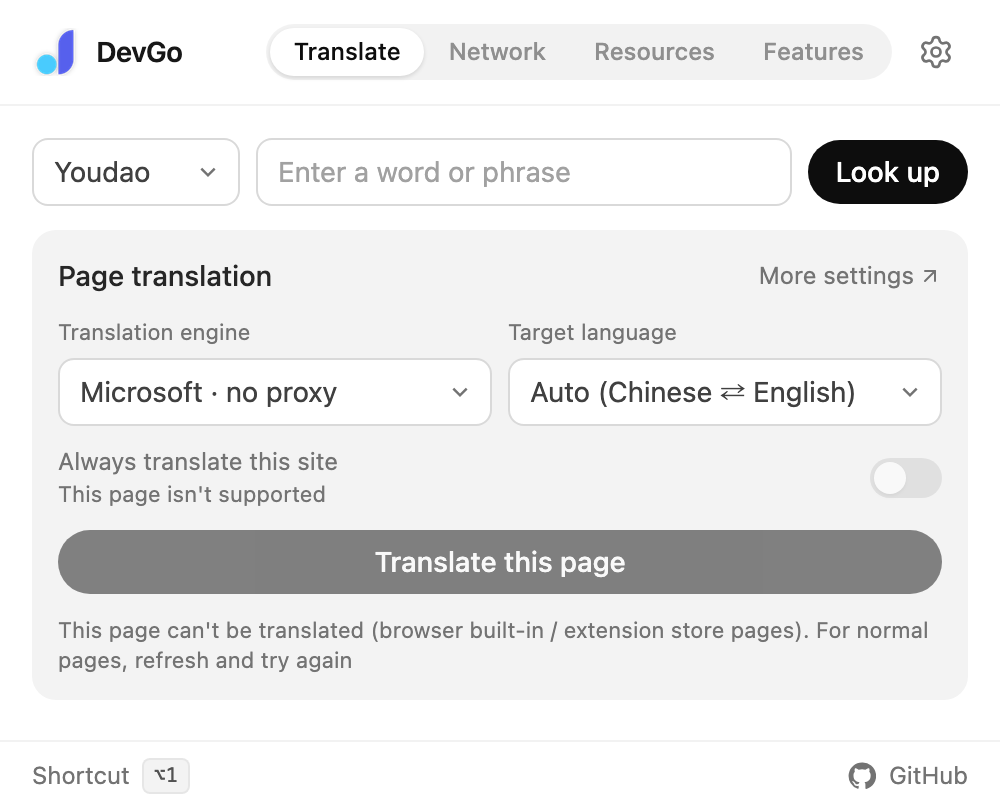
The popup's Translate page: type a word or phrase and look it up; copy or read aloud below the result.
Related abilities
The Translate page is also the control panel for page translation:
- Translation engine / Target language: switch right under the lookup box; applies to page translation and selection translation at once
- Always translate this site: add the current site to the auto-translate list
- Translate this page / Show original: toggle full-page translation — see Full-page bilingual translation
- Hover translation: enable under Settings → Translation, then press
Altwhile pointing at a paragraph to translate just that one
Notes
- With the AI engine and no model configured, the page says "No translation model configured yet" — click "Configure" to fix it
- The Microsoft engine works without a proxy; Google needs one