AI models
In one line: translate with Google, Microsoft (no proxy needed), or any OpenAI-compatible LLM — and configure the translation and chat models separately: fast for translation, strong for chat.
Two models, two jobs
| Config | Where it's used | How to choose |
|---|---|---|
| Translation model | Full-page / hover / selection translation (when the engine is "AI model") | Built for speed: a fast model without deep thinking — glm-4-flash, qwen-turbo, deepseek-chat |
| Chat model | Selection explain / summarize / polish, and the side panel assistant | Built for capability: a strong model with tool calling — GLM-4.6, Kimi K2, qwen3-max, or a Coding Plan |
The chat model follows the translation model until you save a separate config; "Follow the translation model again" switches back if you'd rather maintain one.
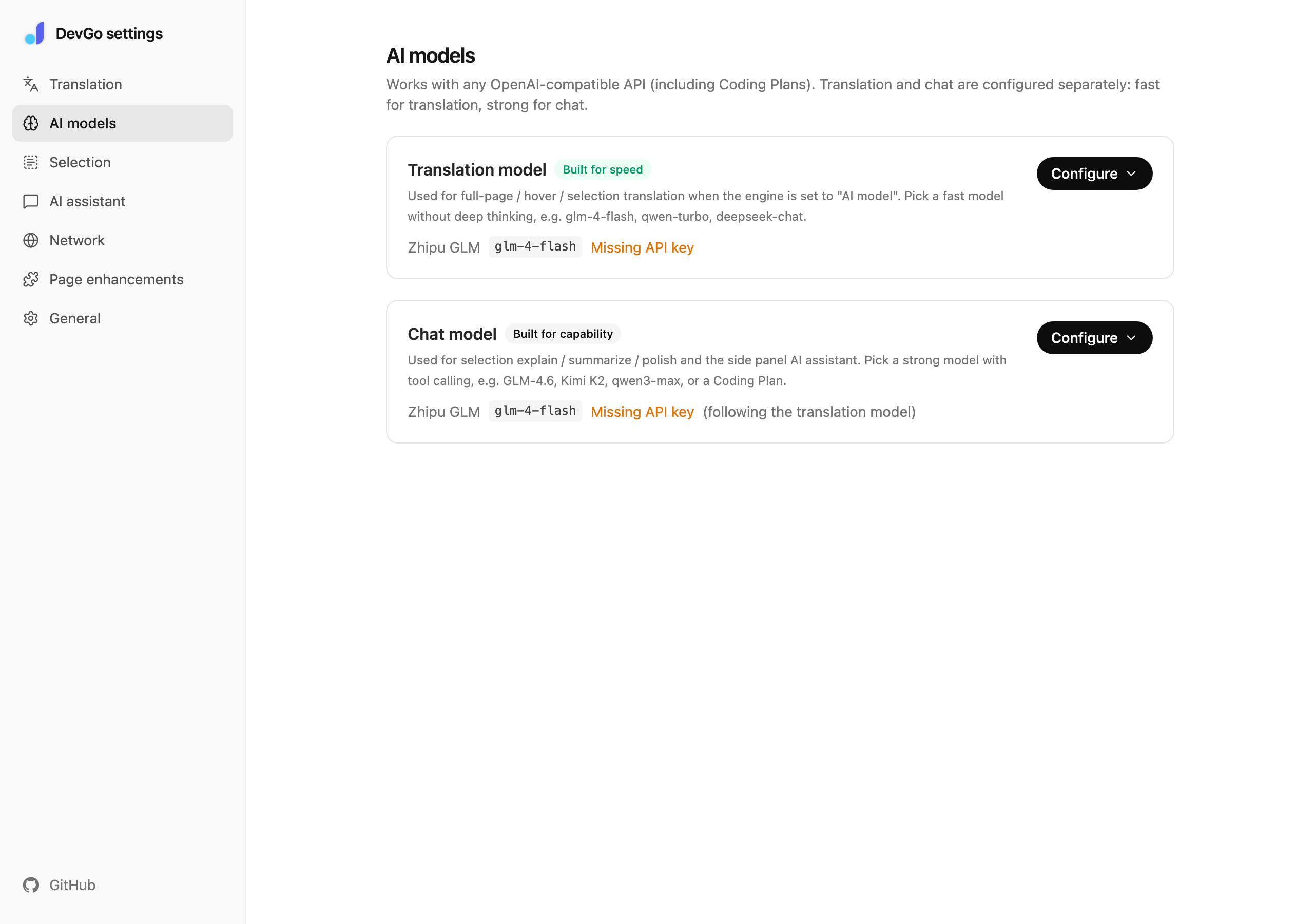
Settings → AI models: translation and chat models, configured separately.
What you fill in
Three things:
- Provider preset: Zhipu GLM, the Z.ai / Bailian / Ark Coding Plans, Qwen, Doubao, Ollama (local), or Custom. Picking one fills in the base URL
- Base URL: up to
/v1is enough —/chat/completionsis appended automatically - API key: stored locally only, never in backups; leave it empty for local Ollama (set
OLLAMA_ORIGINS=chrome-extension://*so the extension may connect)
Model can be picked from the list once the URL and key are in (the list can be fetched automatically); "Test connection" verifies the whole setup in one click.
Custom instructions (optional)
Append to the system prompt, separately for translation and the assistant:
- Translation: use it as a glossary, e.g. "technical-doc style; never translate Token"
- Assistant: set the tone, e.g. "keep answers short" or "list the steps before acting"
Notes
- Coding Plan keys only work with their dedicated base URLs; some plans restrict usage to coding tools — check your plan's terms
- On Volcano Ark, the model name is the console's model ID or inference endpoint ID (
ep-xxxx) - The paragraph around the selection and the page title are attached automatically — don't add them to custom instructions yourself