Page tools (WebMCP)
In one line: DevGo lists the tools a page registers through WebMCP (iframes included) and the AI can call them to get things done. The side panel's "Page tools" page shows each tool's description and lets you run it manually — handy for debugging your own WebMCP implementation.
Requirements
WebMCP is currently a Chrome experiment:
- Use Chrome 150 or later
- Open
chrome://flags, search for "WebMCP for testing", and enable it - Restart the browser
Without it, the "View tools" button on the popup's Features page is disabled with an explanation. Firefox isn't supported for now.
Using it
Open a page that provides tools and switch the side panel to the "Page tools" page:
- Each tool is a card: name, a Read-only or May modify data badge (iframe tools are marked), and a description
- Expand a card to fill in arguments from the schema-generated template, click "Run", and the result or error appears below
- The header shows the tool count, with "Check again" on the right (single-page apps can register / unregister tools at any time)
- Four states each get their own explainer: WebMCP off in the browser, page unreadable, no tools, checking
The easier path: describe what you want in Chat — "search for a red T-shirt" — and the AI calls the tools itself.
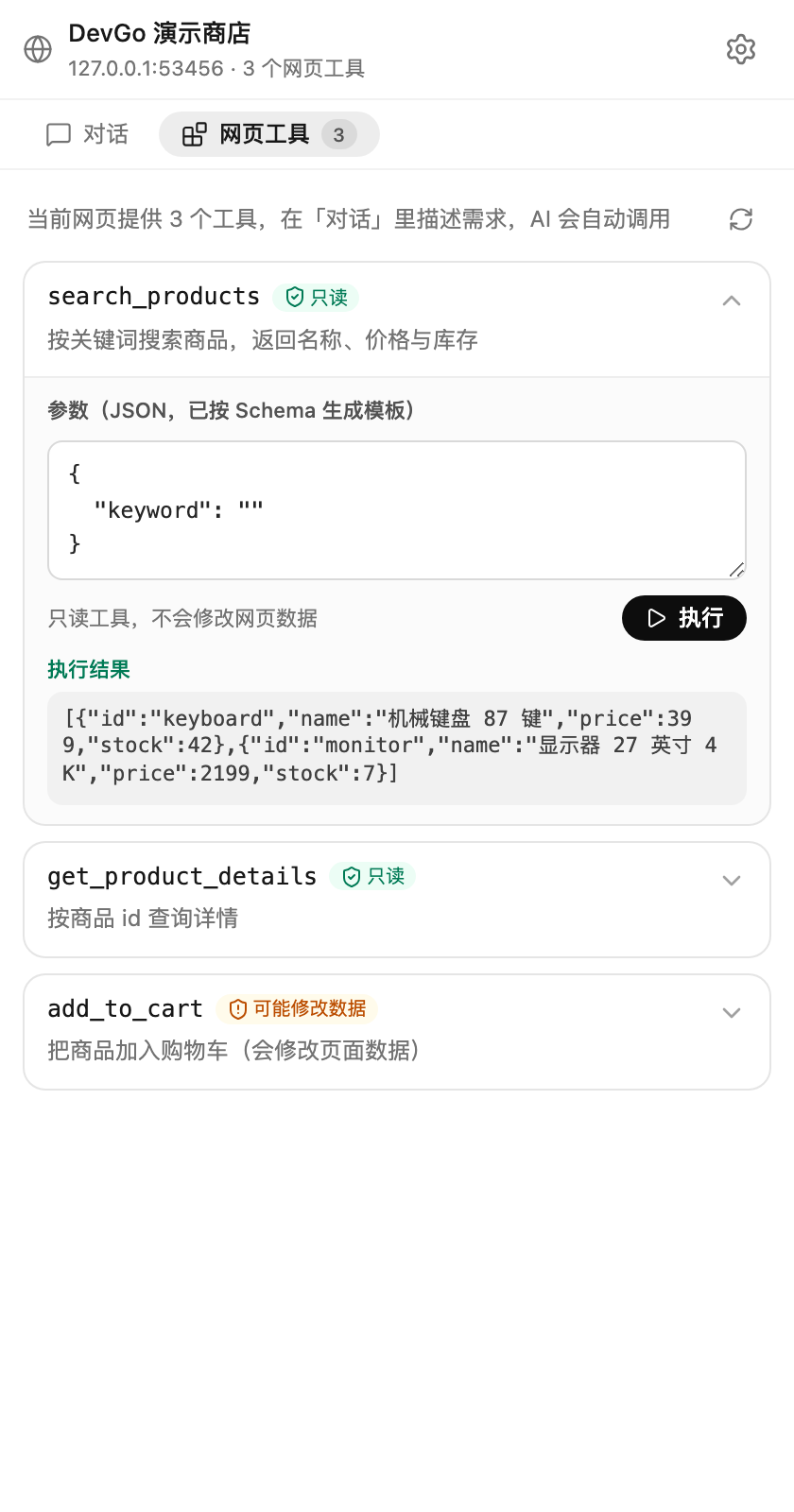
The "Page tools" page: tool cards with Read-only / May modify data badges; search_products has been run and returned results.
Confirm before running
Tools provided by pages and not declared read-only (they may submit forms, place orders, etc.) show a confirmation card before running — "Allow" or "Reject". This protection is on by default and can be turned off under Settings → AI assistant (not recommended).
For web developers
Register tools via document.modelContext and DevGo discovers them automatically; argument schemas are used to generate the fill-in template. Running tools manually on the "Page tools" page is the quickest way to debug your WebMCP implementation — no glue code required.