Media sniffer & bulk download
In one line: sniff the images, videos, and audio on the current tab; filter, search, and download them one by one or in bulk.
How to use
Open the target page and press Alt+4 (or open the popup's Resources page):
- Images, videos, and audio loaded by the tab are listed automatically; "Refresh" rescans, "Clear" empties the list
- Filter: All / Images / Videos; search covers name, domain, and type
- Each entry shows its source (request capture / page DOM) and type; images and common video formats preview inline
- Download / copy link / open link per entry, or "Download all" to create every download at once
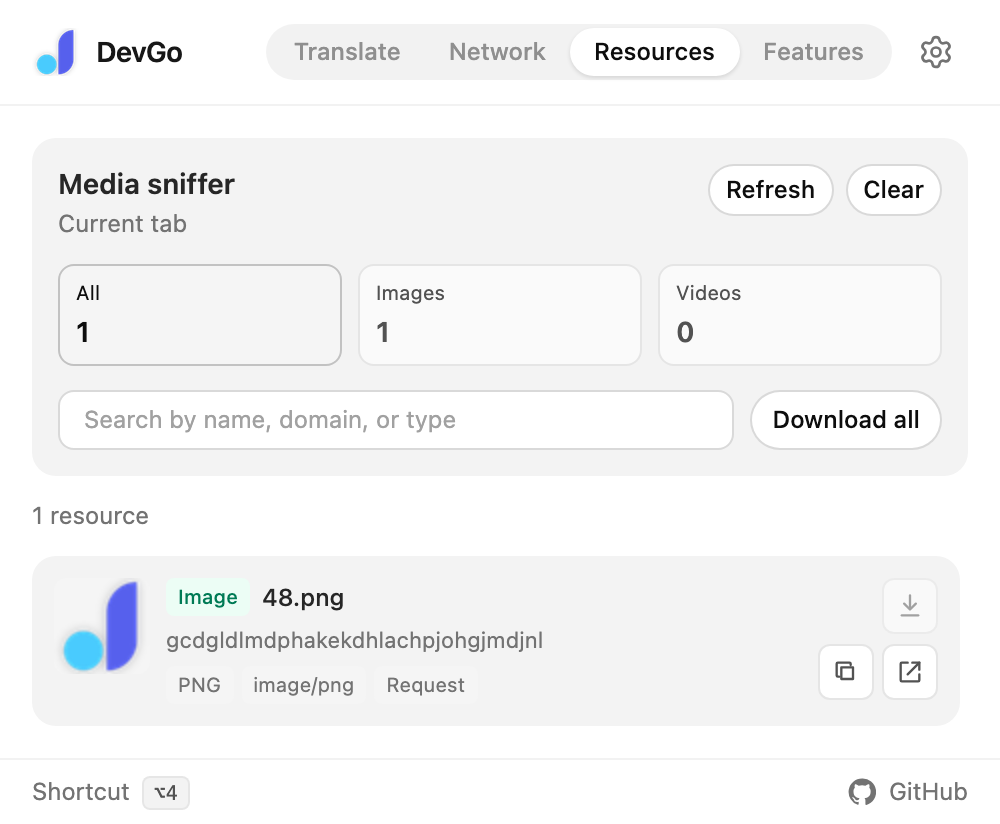
The popup's Resources page: type filters, search, and "Download all".
About streaming media
Video sites mostly use HLS / DASH streaming (m3u8 / mpd manifests plus segments). DevGo recognizes and lists these, but doesn't stitch downloads:
- Stream manifests and segments saved directly won't produce a complete video; DevGo says so and skips them, so you don't download useless files
- X (Twitter) videos come as separate audio / video tracks, likewise flagged as needing a merge
- For a complete video, copy the link and hand it to a downloader like yt-dlp
Notes
- Only
http/httpsresources can be downloaded - Sniffing covers the current tab: switching tabs repopulates the list — download what you need first